
Home / Features / Chat Games / Instant action
Instant action
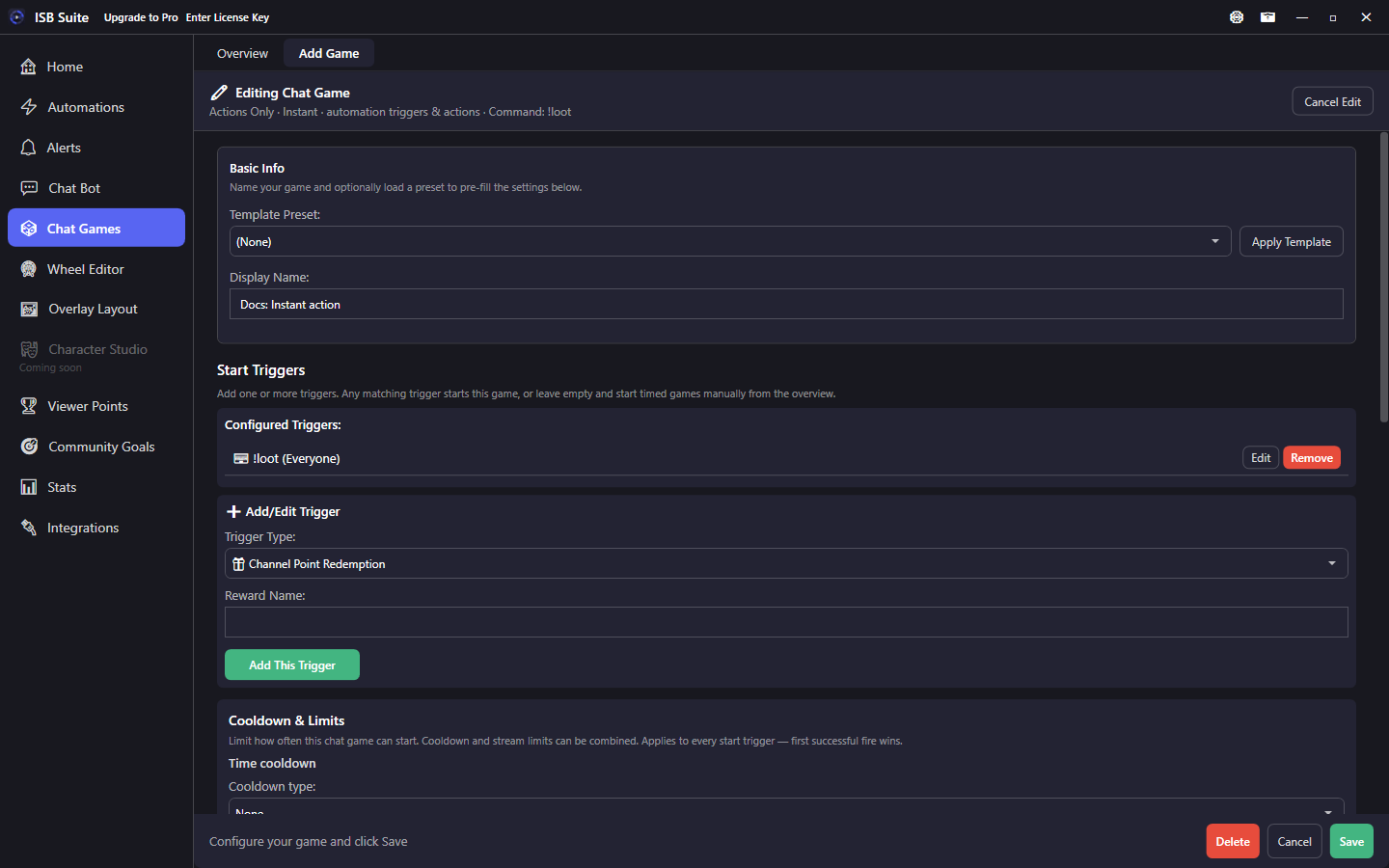
No timed session. The game fires through the automation engine on its start trigger - useful for command-shaped games that still live under Chat Games.
At a glance
- Preset: Instant action.
- No join window, stakes, or dice table by default.
- Trigger runs Actions immediately (same engine as Automations).
- Start Chat Command Advanced Settings for aliases / permission; shared Cooldown & Limits for all start triggers.
- Related: Automations, Actions.
How it works
Instant action skips the timed entrant pool and built-in payout math. Treat it like an Automations / Chat Bot rule that is organized under Chat Games - useful for game-flavored commands that share the Chat Games overview, groups, and Free Chat Games pool.
On fire, start-trigger context runs the rule's Actions immediately (Send Message, Randomized Action, Run Alert, and so on).
Setup
- Create an Instant action from Chat Games presets.
- Add start triggers (command, channel points, bits, and so on).
- Enable Actions - often Send Message plus Randomized Action for variety.
- Set permission under Chat Command Advanced Settings; cooldown and limits on the shared Start Triggers card.
- Group the rule with your other games on the Chat Games overview.
Options
- Timed session / stakes / dice outcomes: off by default.
- Actions: the full shared Actions list on the rule (not phase lists).
- Chat Command Advanced Settings: aliases, Match anywhere, optional Don't trigger from the broadcaster or linked bot, permission. Cooldown and per-stream limits use the shared Start Triggers Cooldown & Limits card.
- You can still call other rules with Run Chat Bot or Automation.
When to use vs Automations
- Prefer Instant action when the command is part of your games set, should appear under Chat Games, and share that Free pool / grouping.
- Prefer Automations / Chat Bot when the rule is stream ops (raids, follows, mod tools) rather than a viewer game.
- Prefer Duel / Percentile roll when you need stakes math or dice bands instead of a flat Actions list.
Use cases
- !loot - Instant action with Randomized Action sets for different reward lines.
- !flex - Chat + Run Alert showing the viewer's counter tier.
- Shop twin - Same Actions as a Viewer Points shop item, but invoked from a chat command living with your games.
- Chain into Heist - Instant action that only mods can run, which opens a Heist via Run Chat Bot or Automation / session start pattern you already use.
Related: Duel, Percentile roll, Chat Bot.