
Home / Features / Actions / Run Chat Bot or Automation
Run Chat Bot or Automation
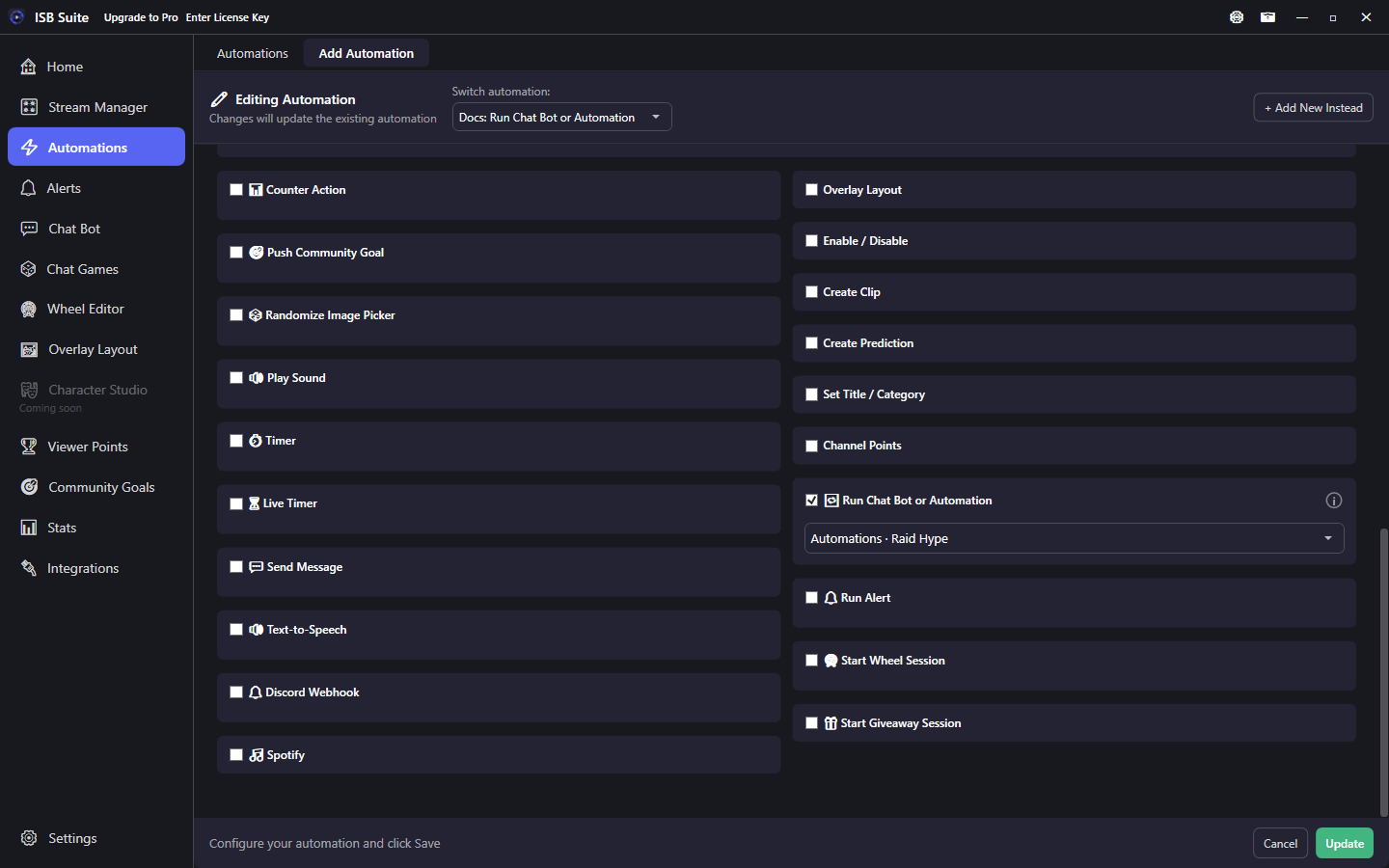
Trigger another Automations or Chat Bot item from this rule. Chains keep the original chatter context for variables and permissions.
At a glance
- UI label: Run Chat Bot or Automation.
- Searchable picker across Automations, Chat Bot, built-ins, games, points, and goal checks.
- Max 20 hops; genuine loops are blocked. Target rules must be enabled.
- Alerts use the separate Run Alert action.
How it works
On fire, the selected target runs as if it had been triggered with the same original chatter data. That lets you keep one shared "hype pack" automation and call it from many commands or events without copying actions. Arg-only built-ins (!addgoal, !removegoal, !endtimer, !cleartimer, !addcommand, !editcommand, !enablecommand, !disablecommand) are not listed.
Setup
- Build and enable the target rule (or rely on a listed built-in).
- On the parent rule, enable Run Chat Bot or Automation and search for the target.
- If the target needs typed args (give/gamble style), leave leftover text on the parent command when viewers type it.
What you can pick
- Automations and Chat Bot overview items (channel commands, timed messages).
- Built-ins such as
!join,!spinwheel,!so, Watch Time, Follow Age. - Chat game start or join, Viewer Points balance/give/gamble/admin/shop/drop claim, community goal check (contribute is not a nested target).
Targets that need typed chat arguments use leftover text from the parent fire when available; otherwise they behave like typing the command alone.
Chains and context
- Every hop keeps original
{user},{userId}, badges, bits, subs, and related context. - Chains can run up to 20 hops; A -> B -> A loops stop with a log warning.
- When a wheel entry win triggers an automation,
{winner}resolves to the winning entry name. - Disabled or locked targets are skipped.
Examples
!hypeChat Bot command -> Run Chat Bot or Automation targeting a shared Raid Hype automation (sound + alert + Discord).- Wheel entry action -> run a follow-up automation that starts a second cascading wheel.