
Home / Features / Stream Manager / Channel Points
Channel Points
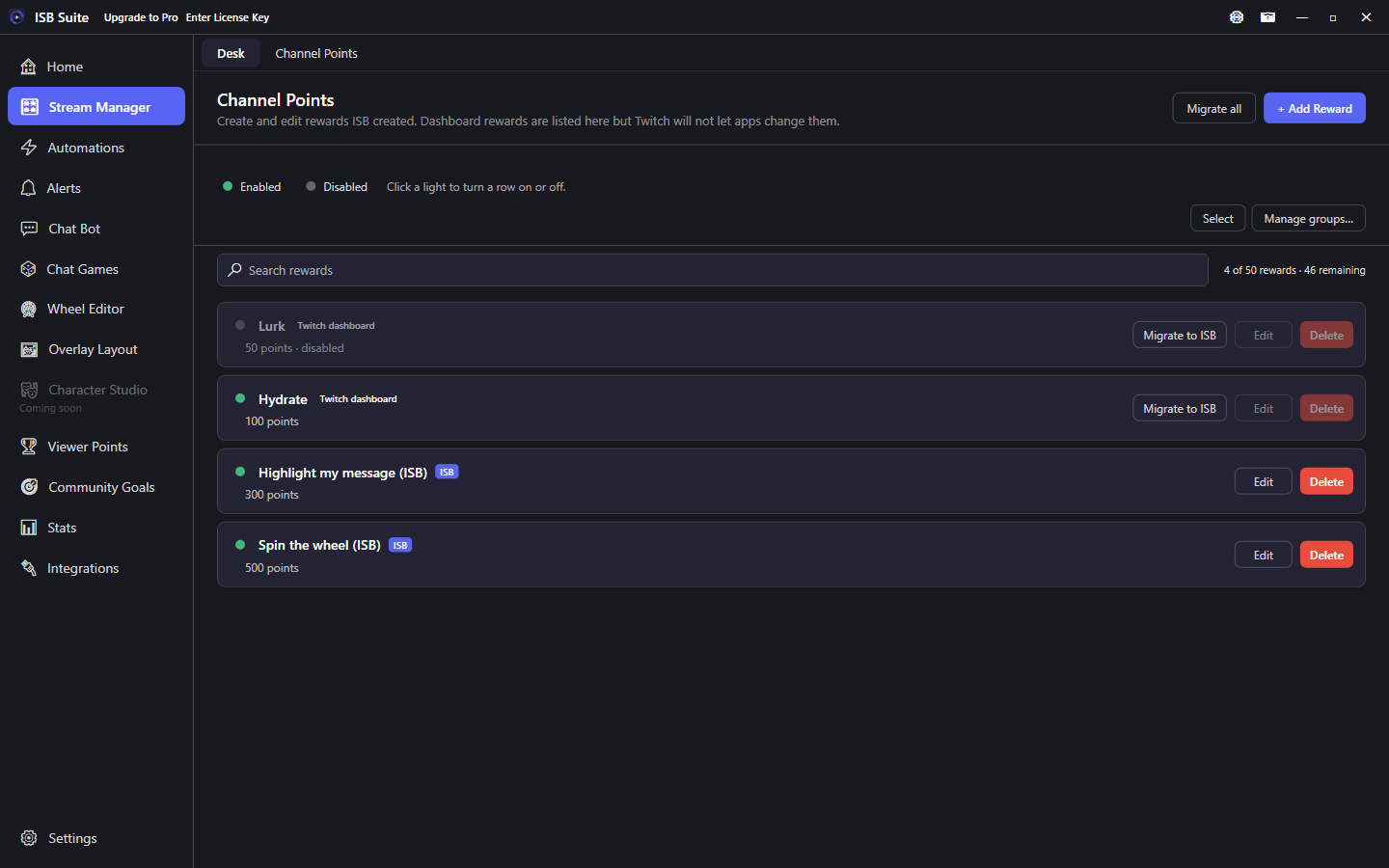
The Channel Points tab lists every custom reward, cheapest first. Create and edit rewards ISB owns. Dashboard rewards stay read-only until you migrate a copy.
At a glance
- Stream Manager tab, not a desk tile.
- Create, edit, pause, enable, or delete rewards this app created. Click the green or grey light on an ISB row (same as Automations).
- Dashboard rewards stay read-only. Migrate to ISB makes a new ISB-owned copy and leaves the original (and its redemption history) on Twitch.
- Twitch allows 50 custom rewards per channel (enabled, paused, and disabled all count).
How to use it
- Connect Twitch on Integrations. Grant Channel Points management. Re-sign in if the tab is still missing rewards.
- Open Stream Manager, Channel Points. Rewards sort cheapest first.
- Add Reward creates an ISB-managed reward. Use Manage groups / Select to organize rows the same way as Automations.
- Click an ISB row's green or grey light to enable or disable it. The edit form is one card. Cooldown & Limits is a single switch (same as Twitch): redemption cooldown plus per-stream and per-user caps. Pick the background color from the shared color chooser.
- Reward icons can only be set in the Twitch dashboard. Twitch's API does not let apps upload them.
Migrate to ISB
Dashboard rewards have the light, Edit, and Delete display-only (Delete is greyed). A disabled dashboard reward does not grey Migrate to ISB. Migrate to ISB (next to Edit and Delete) clones one reward; Migrate all copies every dashboard reward. Copies start paused with an (ISB) title suffix. Originals are not deleted.
Migrate does not move redemption history or custom images, and it does not retarget Automations or Alerts. Delete the old reward on Twitch only when you no longer need its queue.
Limits
- Create, edit, pause, enable, and delete only work on rewards this app created. That is a Twitch API limit, not an ISB setting.
- ISB shows remaining slots toward Twitch's 50 custom rewards.
- Related: Automations can fire on a redeem. Use the Channel Points action to flash-sale, pause, or change cooldown on ISB-managed rewards from a rule. Activity shows the redeem and any attached message.