
Home / Features / Actions / Channel Points
Channel Points
Add one or more rewards this app created or migrated, then change cost, availability, and/or cooldown for the whole list. Reset after (on by default) writes the first snapshot back when the timer ends.
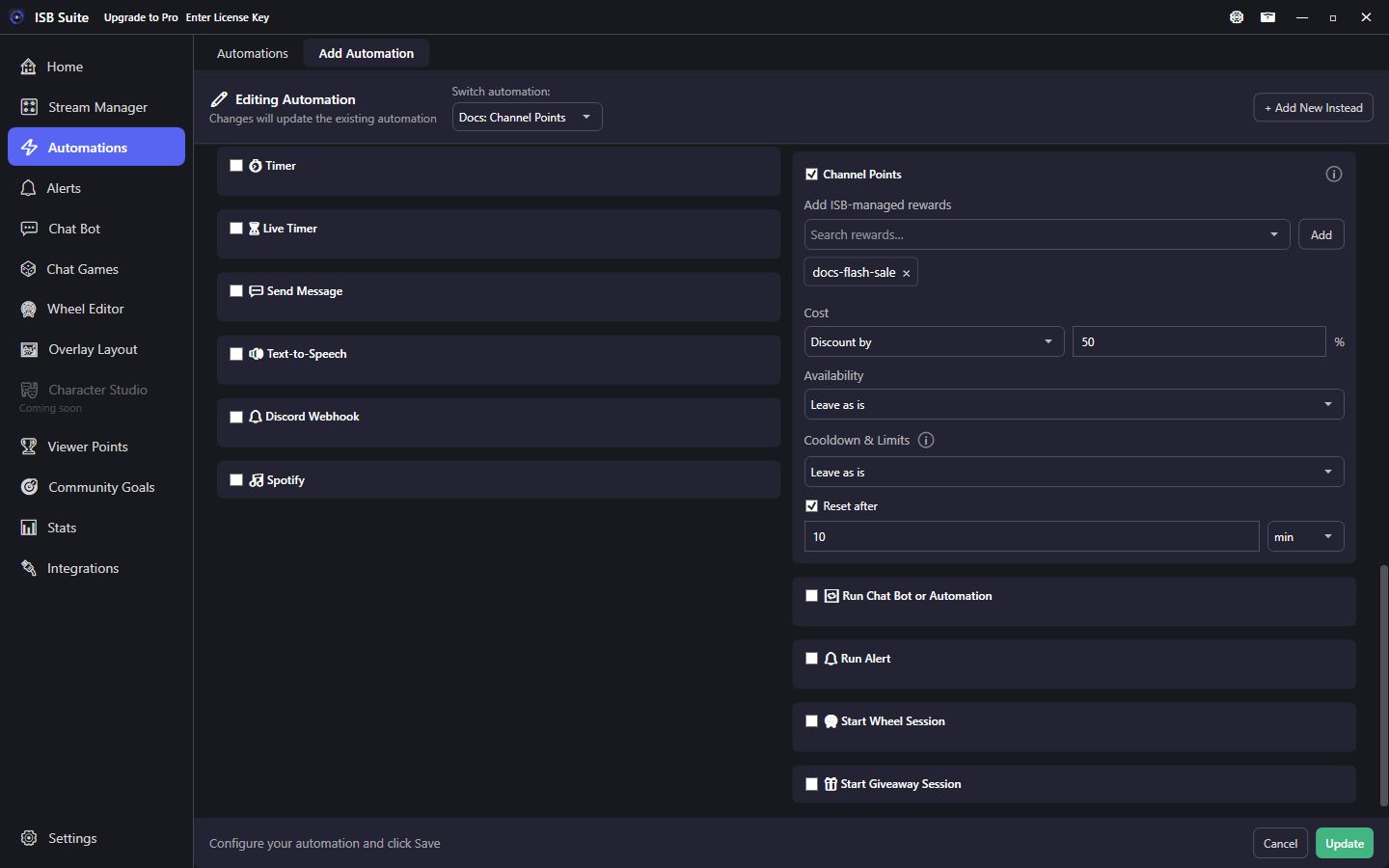
At a glance
- UI label: Channel Points.
- Works on rewards ISB created or migrated. Dashboard rewards stay read-only until you migrate them on the Channel Points tab.
- Cost: Leave as is, Set to, Increase by, Decrease by, Multiply by, or Discount by (percent).
- Cooldown & Limits Turn on uses the same redemption cooldown, per-stream, and per-user caps as Stream Manager. Turn the Reset after timer off to keep the change.
How it works
When the rule fires, ISB updates each added reward in order. Failures are skipped so sibling actions still run. If a delay Timer is also on the rule, this waits with Create Clip and Send Message.
Fields set to Leave as is are not touched. The first change snapshots the live reward as a baseline and stores it so a crash cannot leave a cheap or paused reward stuck. Later fires on the same reward keep that baseline (half price twice stays half, not a quarter).
Reset after (default 10 minutes) writes the baseline back when the timer ends; the last timer wins. Turn Reset after off to keep the change until you edit the reward or fire another Channel Points action.
Setup
- Create or migrate the reward on Stream Manager, Channel Points.
- Enable Channel Points on the Actions card.
- Search ISB-managed rewards and click Add for each one.
- Set Cost, Availability, and/or Cooldown. Leave as is means do not touch that field.
- Turn on Cooldown & Limits opens redemption cooldown time plus per-stream and per-user caps (same as Stream Manager). Leave a field blank to keep that cap off. Turn off clears all three.
- Leave Reset after on (or turn it off to keep the change).
Limits
- Cost is rounded half away from zero and clamped to 1-1,000,000. Discount is a percent off (25 = 25% off). Cooldown seconds clamp to 1-604800 when turned on.
- Pause and Enable are different Twitch fields. Pause hides a still-enabled reward; Disable turns it off.
- Free tier. No new message variables.
Examples
- Going live -> Discount by 50% for 10 minutes.
- Raid incoming -> pause noisy rewards for 5 minutes.
- Hype command -> Turn on a 2 minute redemption cooldown and reset after the stream segment.