
Home / Features / Actions / Send Message
Send Message
Send a chat line when the rule fires. Off posts where the run started. On posts in both Twitch and YouTube chats when the rule runs on both. Templates support message variables from the parent event, with a live preview in the editor.
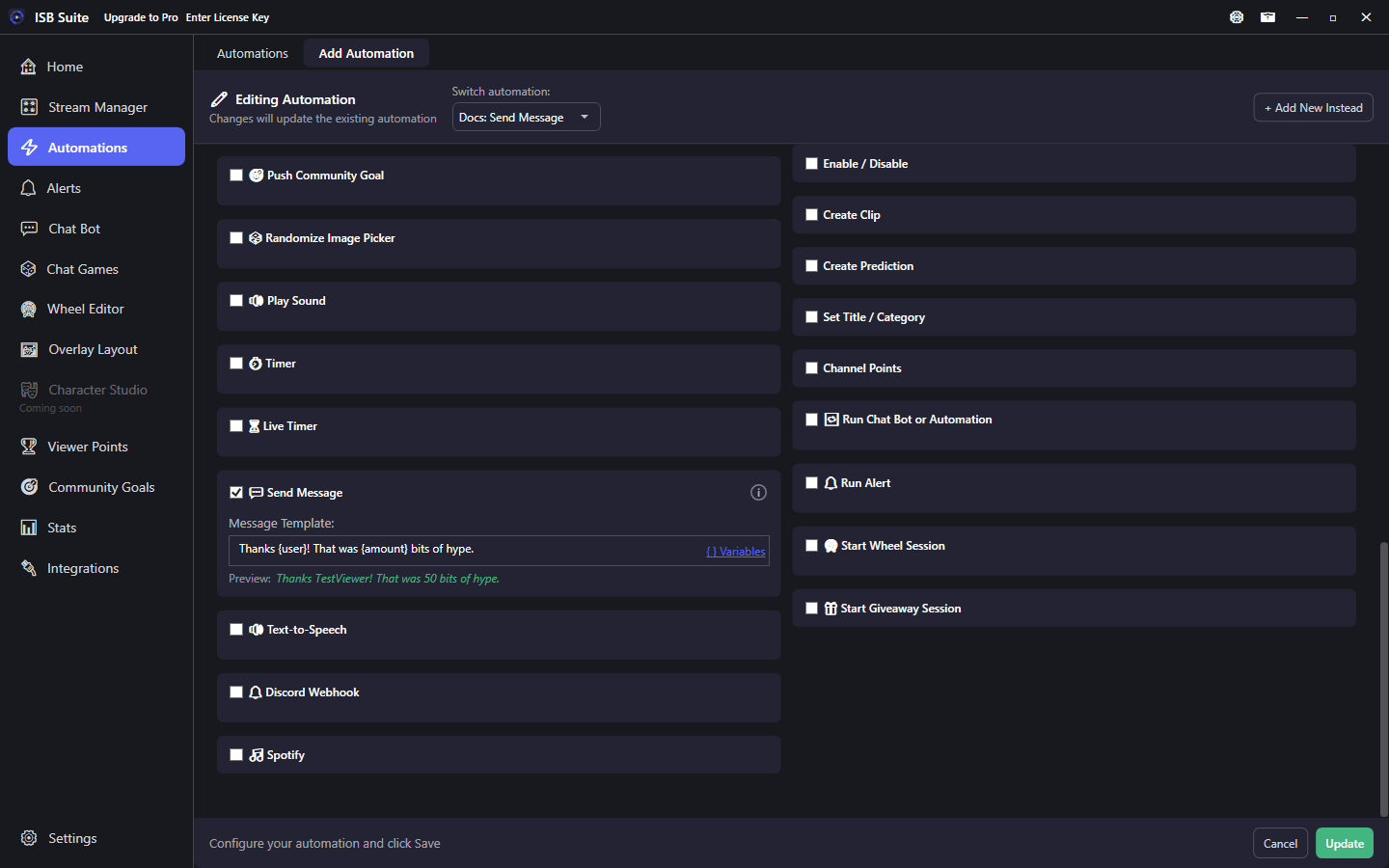
At a glance
- UI label: Send Message.
- Supports message variables such as
{user}and{amount}. - Off posts where the run started. Send to both Twitch & YouTube chats posts in both when Run on has both platforms.
- Optional bot account on Integrations sends replies as the bot. When both accounts are connected, Send Message can choose Send as Bot (the default) or Streamer.
- TTS and Discord can reuse this same template text.
/shoutout {user}or/so {user}fires Twitch's official shoutout (reconnect Twitch if you connected before this feature).
How it works
When the rule fires, the template is resolved with the current event context. Off posts where that run started (a Channel Point redemption stays on Twitch, a command stays in the chat that used it, a timer stays on Twitch). Send to both Twitch & YouTube chats posts in both, and only when Run on has both platforms. One platform sends only to that chat. Twitch sends as the broadcaster account, or as the dedicated bot account if you connected one on Integrations. When both are connected, Send as on this card chooses Bot (the default, so existing rules stay the bot) or Streamer. Built-in replies, cooldown replies, and per-stream limit replies stay the bot. With no bot linked, every line is the streamer and Send as stays hidden. A Streamer line uses the streamer chat rate; a Bot line stays on the bot rate. If that account's chat is down, the line waits on that account and is not sent as the other one. A cheer spends bits on whichever account sends it. Another chat app signed in as the streamer can drop this connection. YouTube send needs Sign in with Google and a live chat; official send quota applies. If one chat is offline, the other still sends. Rate limits still apply - mod the Twitch bot in your channel if you send many replies. A template that starts with /shoutout or /so sends Twitch's official shoutout (Helix) instead of posting that slash command. Viewer text in {input} is posted as chat. /shoutout {user} on a raid uses the raider's user id. You must be live with at least one viewer; one shoutout every 2 minutes, same channel once per hour. Extra text after the name follows the same checkbox. Re-authenticate Twitch if you connected before this feature (moderator:manage:shoutouts). YouTube connect and quota: YouTube.
Setup
- Enable Send Message.
- Leave Send to both Twitch & YouTube chats off to post where the run started, or check it when Run on has both platforms.
- Write the Message Template. Use the Variables helper to insert tokens.
- Check the green Preview line (sample viewer / amounts) before saving.
Variables and preview
Tokens resolve from the event that fired the parent rule (and from counters, goals, and other systems where those tokens are valid). Common ones: {user}, {amount} (shared cascade - raid viewers and resub months map here; there is no {viewers} / {months} token), {count}, {input}. Full catalog: Message variables.
Reuse by other actions
- Text-to-Speech can speak this same Send Message text.
- Discord Webhook can post this same text to Discord.
- You do not have to duplicate the template unless you want different wording per destination.
Examples
- Bits cheer ->
Thanks {user} for {amount} bits!plus Push Community Goal with Use amount from trigger. - Raid -> Send Message
/shoutout {user}for the official shoutout, or/shoutout {user} Welcome raiders!to shout out and still post a chat line.