
Home / Features / Actions / Discord Webhook
Discord Webhook
Post to one or more Discord webhooks from Integrations. Reuse Send Message text, send a Discord-only body, or both.
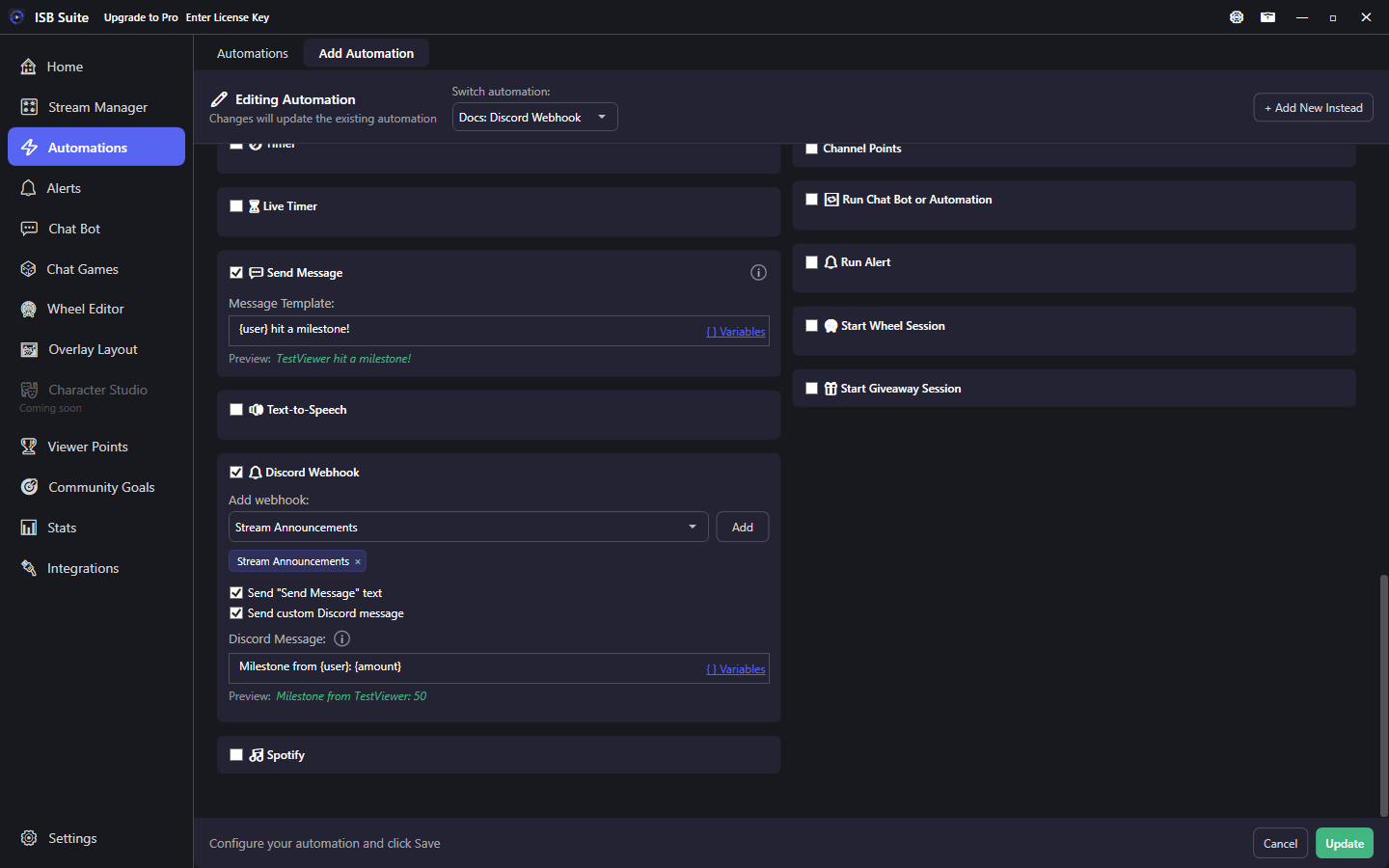
At a glance
- UI label: Discord Webhook.
- Create named webhooks on Integrations first (URLs stay on your PC).
- Select at least one webhook and at least one message option or nothing is sent.
- Custom Discord text supports the same style of variables as chat. Press Enter for a new line.
How it works
On fire, ISB Suite posts to every selected named webhook. If both Send Message text and custom Discord text are enabled, Send Message text is sent first, then the custom Discord template. The editor warns when no webhooks are configured, none are selected, or no message option is checked.
Setup
- On Integrations, add a webhook with a clear name (for example Stream Announcements).
- On the rule, enable Discord Webhook, pick names from Add webhook, and click Add (chips list the selection).
- Enable Send "Send Message" text and/or Send custom Discord message.
Message options
- Send "Send Message" text: posts the resolved chat template. Keep chat and Discord in sync without duplicating copy.
- Send custom Discord message: separate template (often longer, with roles or links you would not put in Twitch chat). Press Enter for a new line; the post keeps those breaks. Typing
\nstays literal characters. - One rule can target multiple webhooks (mods channel + public announcements).
Examples
- Gift milestone -> short Send Message in chat; Discord custom line with more detail.
- Raid -> one automation posts the same Send Message text to Discord and Twitch.