
Home / Features / Actions / Text-to-Speech
Text-to-Speech
Speak an announcement when the rule fires. Read the Send Message text, a custom TTS template, or both. Voices come from your Amazon Polly account.
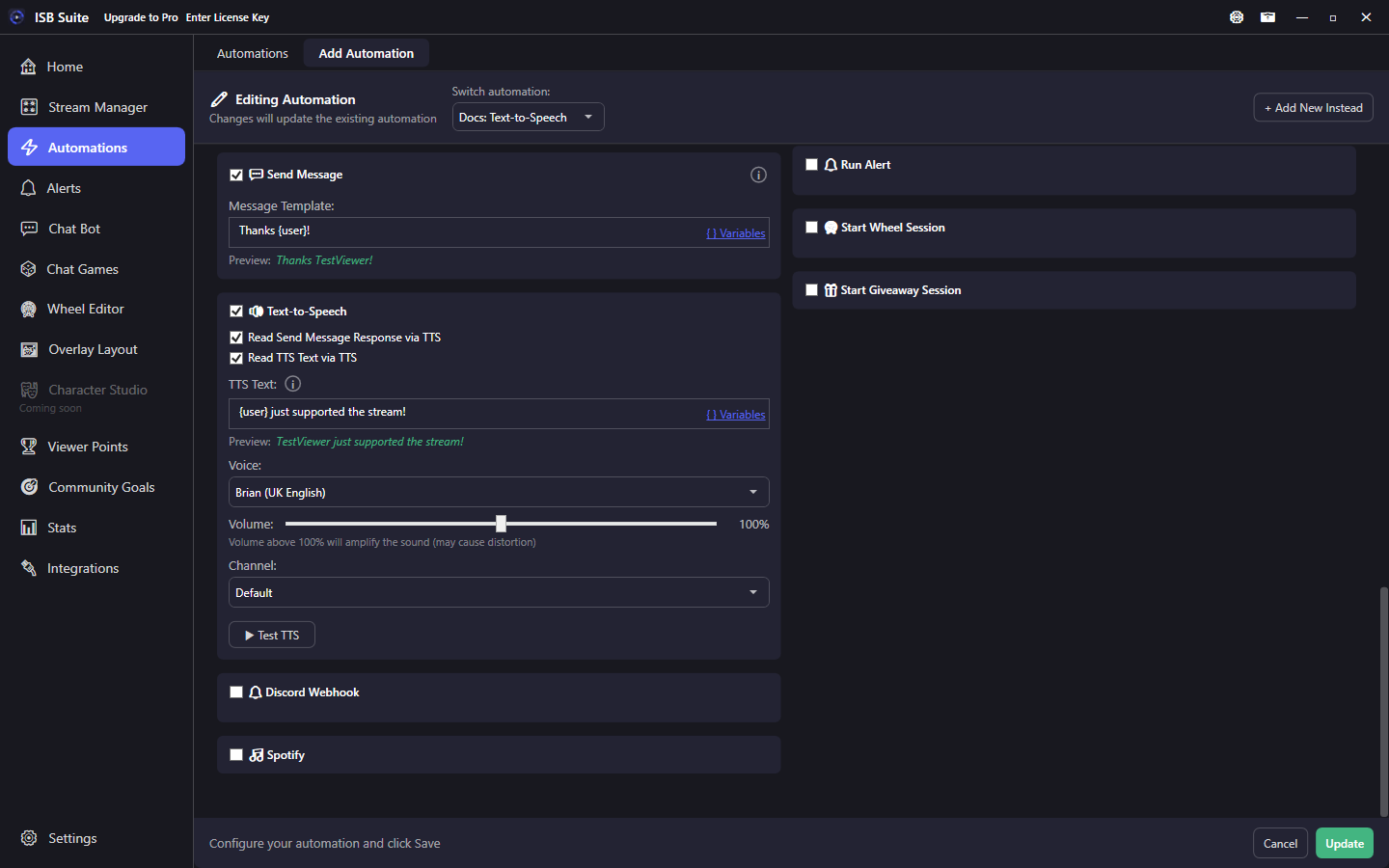
At a glance
- UI label: Text-to-Speech.
- Connect your Amazon Polly account under Integrations. Standard voices such as Brian, Amy, and Matthew.
- You must enable at least one read option or nothing is spoken.
- Custom TTS text supports variables; spoken after Send Message text when both are on.
- Use Test TTS before going live.
How it works
On fire, TTS speaks the selected sources through the chosen voice, volume, and audio channel. If both Send Message and custom TTS text are enabled, Send Message is spoken first, then the custom TTS line. The editor warns if TTS is on but neither read option is checked. Spoken text may contain &, <, and >. Connect Amazon Polly under Integrations before adding this action. A rule that already speaks keeps the card and shows a setup error; that line is skipped until the keys are saved. Amazon bills the characters spoken on that account.
Setup
- Under Integrations, set up Amazon Polly with your own access key.
- Enable Text-to-Speech.
- Check Read Send Message Response via TTS and/or Read TTS Text via TTS.
- If using custom text, fill TTS Text (supports
{input}and other variables). - Pick voice, volume, and channel, then Test TTS.
Read options
- Read Send Message Response via TTS: speaks whatever the Send Message template resolved to. Enable Send Message on the same rule (or accept that there is nothing to read).
- Read TTS Text via TTS: speaks the dedicated TTS template - useful when chat should be short and speech should be longer (or the reverse).
- Voice / Channel: same audio-bus idea as Play Sound.
Alerts can also speak on their own TTS settings; this action is for Automations / Chat Bot / shop / games Actions surfaces. See Alerts.
Examples
- Raid -> Send Message for chat plus TTS text
{user} is raiding!so the room hears it if chat scrolls. - Shop redeem -> TTS only (no chat) for a private-feeling on-stream callout.