
Home / Features / Counters and Stats
Counters and Stats
Track numbers that persist across streams, with tiers, leaderboards in chat, and CSV import/export.
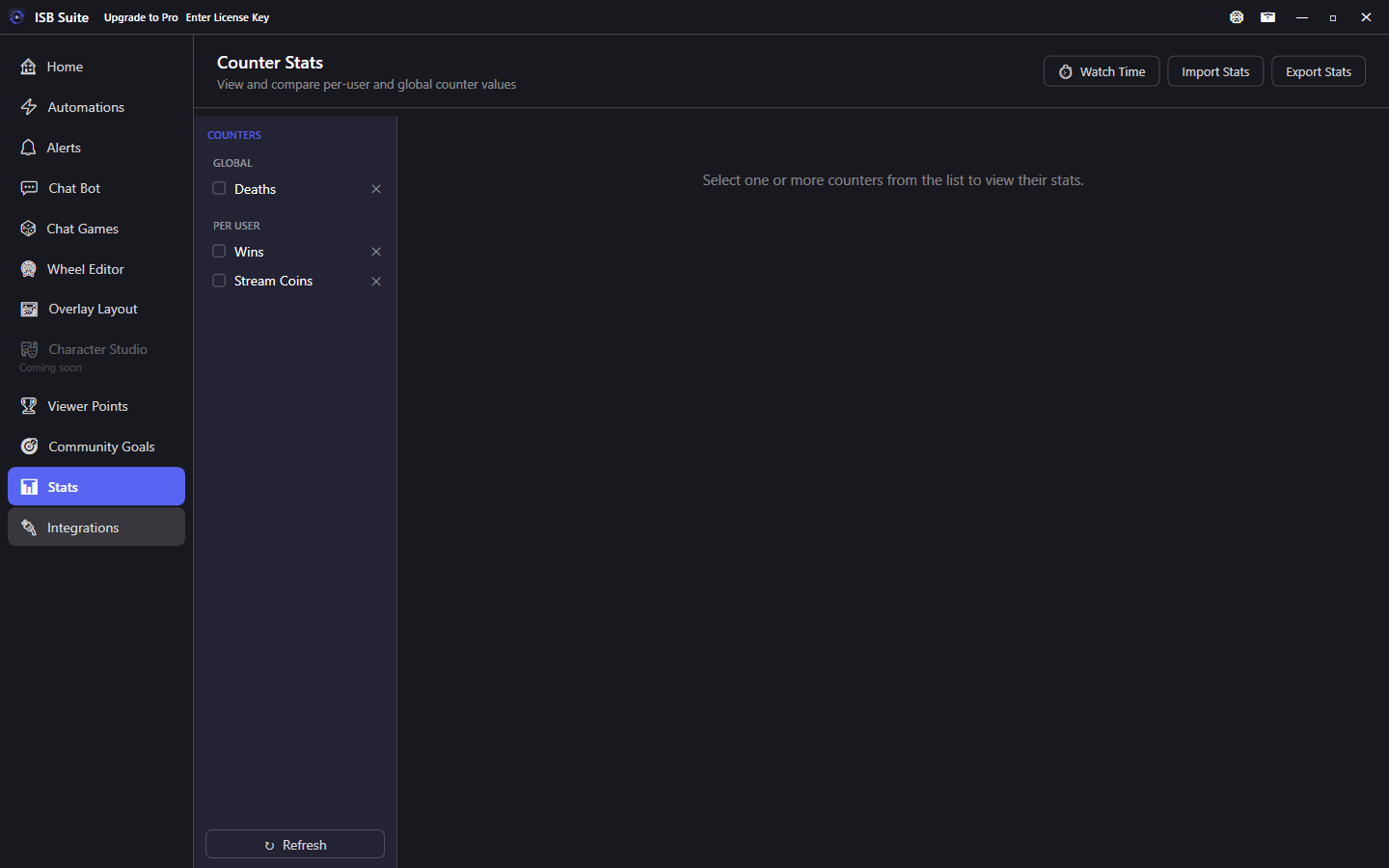
At a glance
- Global counters: one shared value. Per-user counters: value per Twitch viewer.
- On Stats, each per-user card header shows a Total (sum of all users).
- Optional thousands separators (1,234) per Number counter. Toggle on Stats, Counter Options, or Create Counter. Off by default. Chat, alerts, TTS, and Discord use the same setting.
- Change from automations, entry actions, or viewer points via Counter Action. A giveaway can also add a join, a win, or a winner reward. See Start Giveaway Session.
- Leaderboard token:
{top5Counter:CounterName}(per-user only). - Per-user
{counter:CounterName}on a timer (no viewer) shows the Stats Total. - CSV import accepts comma or semicolon (auto-detected).
- Add viewer on Stats sets one viewer's value without a CSV. Same lookup rules as import. Global totals stay on the pencil.
- Free: 5 counters. Built-in system counters and counters referenced by other features are exempt. Full limits on Free and Pro.
Counter types
- Global: single shared value (for example Deaths This Stream, Wheels Spun).
- Per-user: separate value per Twitch viewer (for example Times Won, Giveaway Entries). On the Stats page, the card header Total is the sum of every user's value (search does not change it).
- Thousands separators: Number counters can show
1,234instead of1234. Enable per counter on Stats, on Counter Options (next to Enable tiers), or when creating the counter. Off by default so existing counters stay unchanged. Watch Time is already2d 5h 13m. CSV import/export and the edit-value dialog stay raw integers so parsing is unchanged.
Counter Action
Change counters from automations, wheel entry actions, or viewer-points redemptions:
- Change by: signed number, plus/minus another counter, or a random min-max range rolled each fire.
- Set to: absolute value (0 resets).
{amount}is the resolved amount from the first counter action in a fire.
Examples:
- Change by -[tax pot] on a viewer's balance, then Set the pot to 0.
- Range amounts (for example -100 to 100) roll once each time the action fires.
- Increment Wins by 1 when a wheel entry wins, then announce
{count}and{counterTier}.
Counter tiers
- Any counter can have a tier ladder (for example 0 Bronze, 10 Silver, 50 Gold).
- Active tier updates as values change and shows on the Stats page.
{counterTier}: tier for the current action, or the tier just gained on Counter Tier Reached.{counterTier:CounterName}: current tier label for a named counter (live lookup).- On Counter Tier Reached,
{counterTier}is the label for this crossing - not the final tier if several thresholds were crossed at once.
Related triggers: Counter Tier Reached and Counter Value Changed on Automations and Custom Alerts.
Leaderboards in chat
Use {top5Counter:CounterName} in any template to list the top 5 viewers on a per-user counter. Format: 1. Alice 100, 2. Bob 80, 3. Charlie 60, .... Empty when no data. Global counters do not support this token.
On Chat Bot timers and other messages with no triggering viewer, {counter:CounterName} on a per-user counter shows the Stats Total (same number as {counterTotal:CounterName}). A command or event that has a viewer still shows that viewer's value.
Example: Top 5: {top5Counter:Wins}. See Message variables.
CSV import and export
- Export counters for backup or editing in a spreadsheet.
- Import accepts comma- or semicolon-separated files (delimiter auto-detected; useful for Excel EU exports).
- The downloadable template stays comma-separated. YouTube mode uses
@handleexamples. - Step 1 picks Twitch usernames or YouTube handles (
@handleor aUC...channel id). Display names cannot be resolved. YouTube-only streamers can import without Twitch. - YouTube rows become their own ISB account. After
!link, each counter follows Settings, Linking accounts: keep the larger value (the default) or add the two amounts together. To add YouTube history onto an already-linked row without another link, import with Add. See YouTube. - Add viewer on Counter Stats does the same lookup for one person: Twitch login, or a YouTube
@handleorUC...channel id. Set replaces their value. Add (when they already have one) increases it. The account is created only when you set the value. The pencil still edits a global total or a viewer already on the board.
Watch time
Stats Watch Time powers watching presence polls used by Viewer Points earn rules. Keep Twitch connected with the moderator chatters scope. YouTube lurkers never earn; only recently-chatted YouTube viewers join the union. See YouTube.