
Home / Features / Chat Games / Blank sandbox
Blank sandbox
Timed session with free join so you can wire your own triggers and Actions without heist or lottery math.
At a glance
How it works
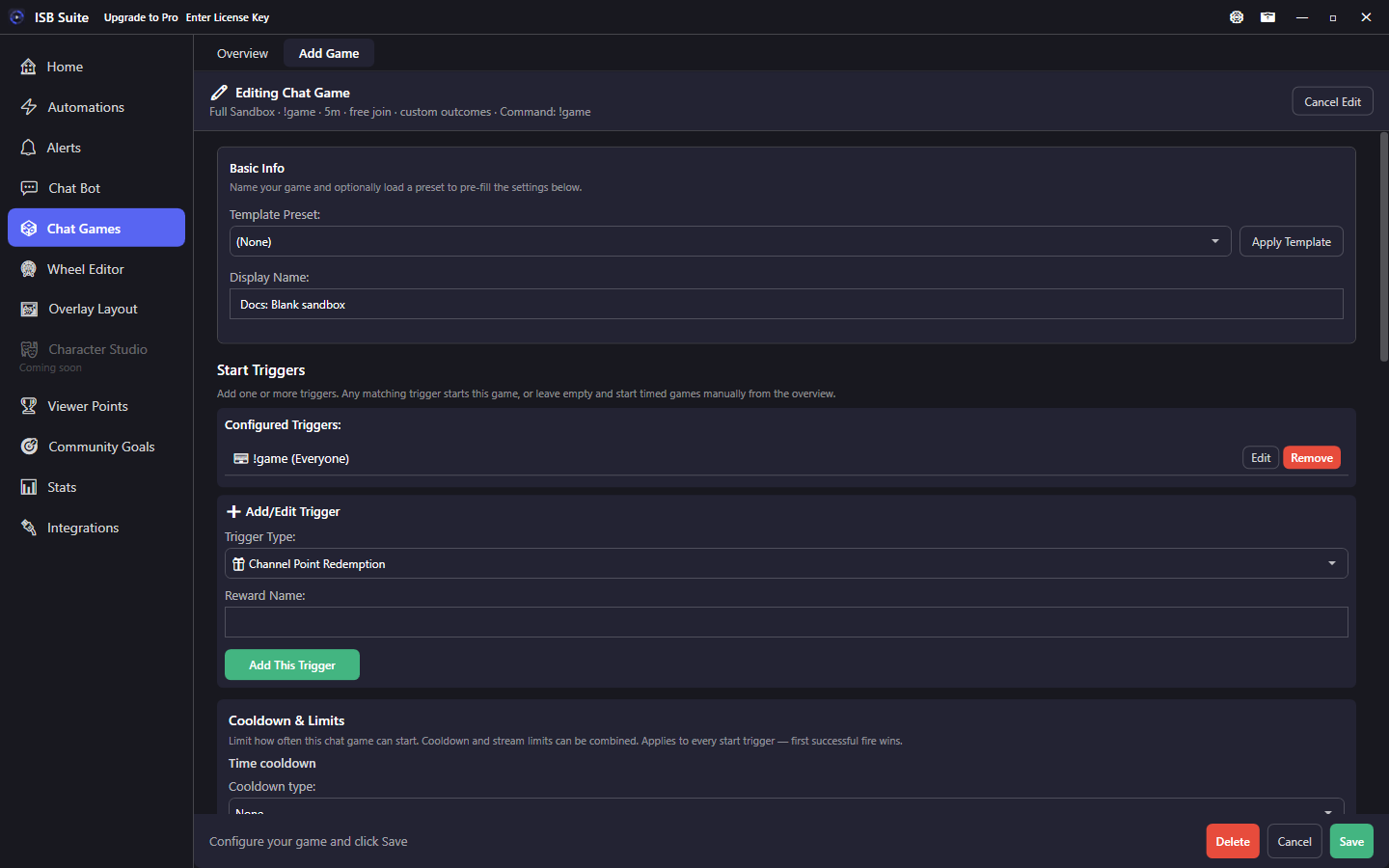
Blank sandbox gives you a timed join session and the phase hooks without opinionated heist/lottery payout math. Viewers join for free (unless you turn stakes on yourself). When the window ends, resolve/When Session Ends Actions run - use them to announce {entryCount}, start a wheel, pick a winner with your own Actions, or hand off to another automation.
Setup
- Create a Blank sandbox from Chat Games presets.
- Add a start trigger and set duration + join command.
- Enable opened message (and join-confirmed if you want RSVP feedback).
- Wire Open / Join / When Session Ends / If No One Joins Actions for your custom flow.
- Only enable stakes or built-in resolution if you intentionally want those systems.
- Set start Chat Command Advanced Settings and the shared Start Triggers Cooldown & Limits card.
Options
- Timed session: on - this is the whole point of the sandbox.
- Stakes / built-in resolution: off by default so you control outcomes via Actions.
- Duration and Countdown Warnings: same as Heist/Lottery.
- Execute Actions on resolve: turn on so When Session Ends actually runs your chain.
- You can still enable stakes later if a custom game needs a buy-in without switching presets.
Phases
- Open - announce the window and rules.
- Join - track RSVPs (chat, counters, Discord webhook).
- When Session Ends - your custom resolve: wheel, random pick message, Run Chat Bot or Automation, and so on.
- If No One Joins - cancel path.
- Win / Lose / No Winners only matter if you turn on built-in resolution or simulate outcomes yourself.
Use cases
- Custom RSVP window - Free join for 3 minutes, then When Session Ends announces
{entryCount}and starts a wheel. - Trivia signup - Join phase logs entrants; resolve calls an automation that posts the question set.
- Raid party queue - Open on raid; When Session Ends runs Start Giveaway Session or a wheel of raiders.
- Soft stakes later - Start stake-free, then enable fixed stake once the format is proven.
Related: Start Wheel Session, Start Giveaway Session, Lottery.