
Home / Features / Actions / Start Wheel Session
Start Wheel Session
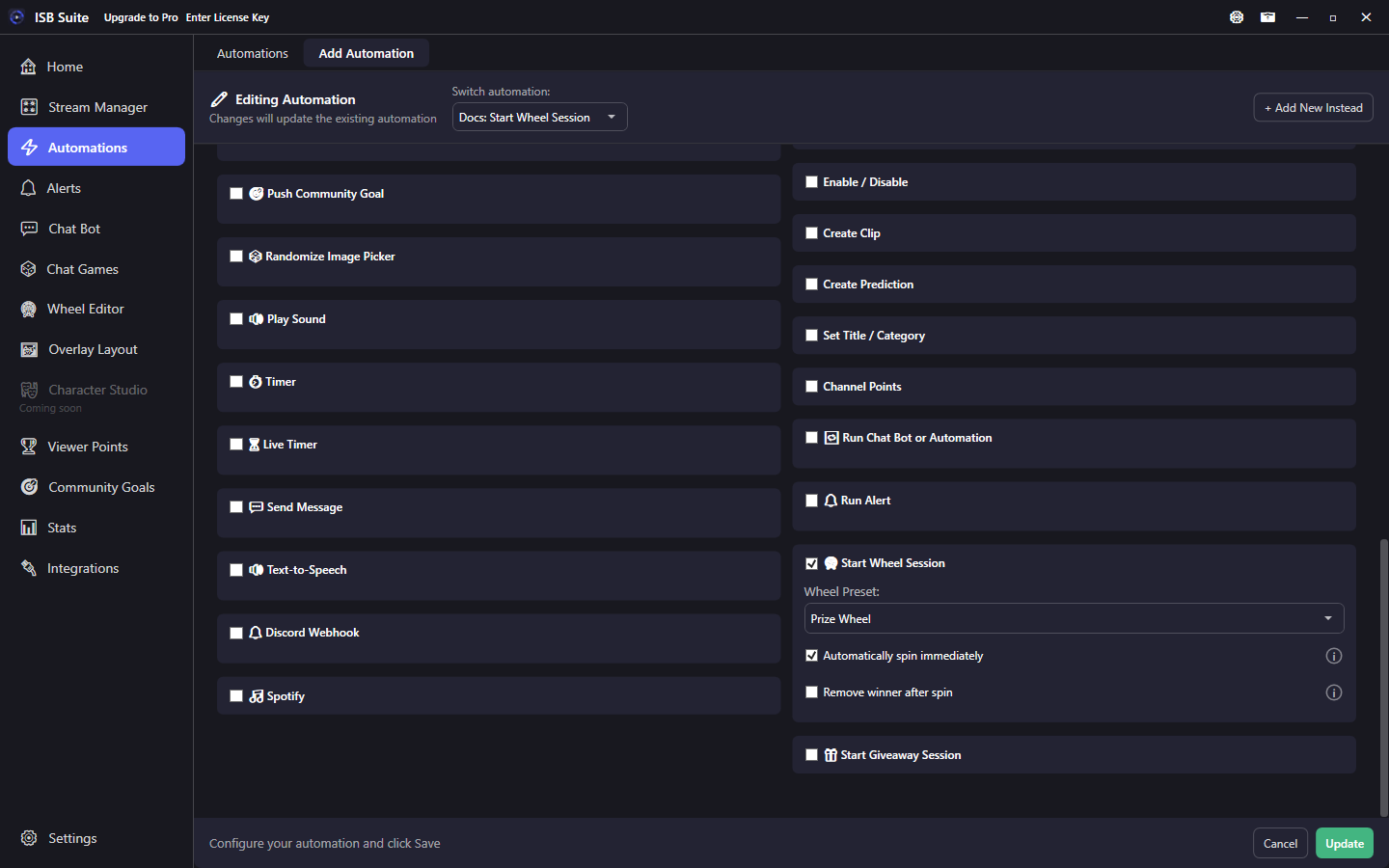
Load a saved wheel preset when the rule fires. Auto-spin is on by default for new actions; uncheck it to load without spinning, or add remove-winner / last-survivor modes.
At a glance
- UI label: Start Wheel Session.
- Loads a preset from Wheel Editor; auto-spin is on by default for new actions.
- Uncheck auto-spin to open the session so chat can
!joinif the preset allows it. - Related: Queues and Giveaways, Randomized Action.
How it works
When the parent rule fires, ISB Suite loads the chosen wheel preset into the live session (same idea as the Stream Manager Wheel card). If Automatically spin immediately is off, the wheel is ready for joins or a later mod !spinwheel. If auto-spin is on, a spin starts after the configured delay without a separate spin command.
Winner chat, entry sounds, and per-entry actions still come from the wheel / entry settings. This action only starts (and optionally spins) the session. Those chat lines post where this rule was triggered (Twitch or YouTube) unless the wheel's Send to both Twitch & YouTube chats box is on for that line.
Setup
- Save the wheel preset in Wheel Editor (entries, join settings, winner message).
- On the rule, enable Start Wheel Session and pick that preset.
- Leave auto-spin on (the default for new actions), or uncheck it for load-only / join, then optional remove-winner / last-survivor modes.
Options
- Wheel Preset: which saved wheel to load.
- Automatically spin immediately: on by default for new actions. Spin after a short delay. Uncheck it so the session starts without spinning (viewers can join when Allow !join is on). Existing saved rules keep whatever you stored.
- Remove winner after spin (with auto-spin): drop the winning slice and keep spinning for elimination-style games.
- Spin until one entry remains: keep removing winners until a last survivor is left.
- Number of spins / Delay between spins: when removing winners without last-survivor mode, how many spins and the pause between them so viewers can see each result.
Examples
- Channel points "Spin the Prize Wheel" -> Start Wheel Session on Prize Wheel with auto-spin after 3 seconds.
- Mod command opens an empty joinable wheel (auto-spin off) so chat
!join, then mods spin later. - Put different presets in Randomized Action sets for a "mystery wheel" redeem.