
Home / Features / Overlay Layout / Point Drop
Point Drop
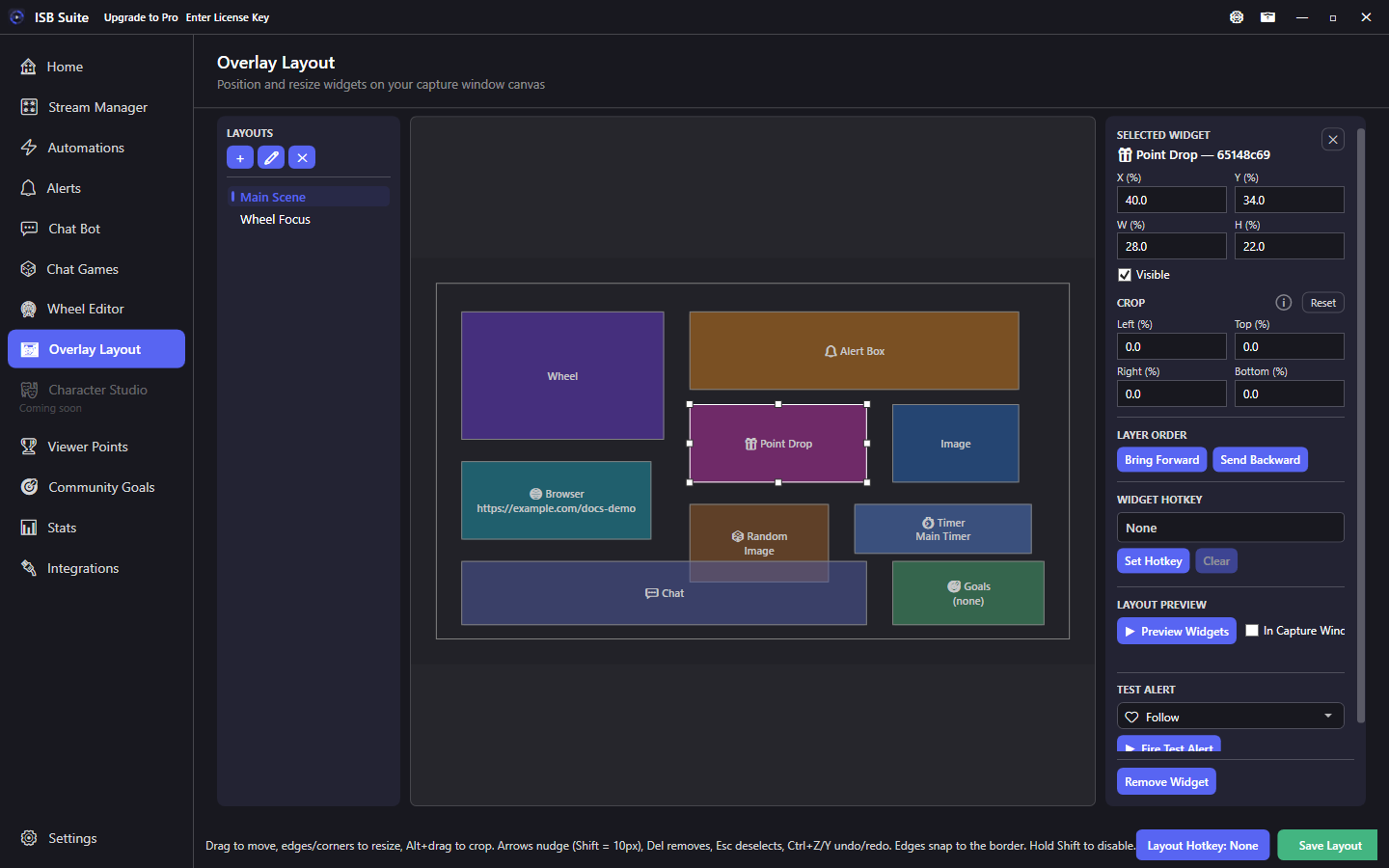
Show drop images or GIFs on the stage while a Viewer Points point drop is active. Claim commands and spawn chance are configured on the drop, not the widget.
At a glance
- Widget: Point Drop.
- Pairs with point drops on Viewer Points.
- Claim commands and spawn chance are configured on the drop, not the widget.
- Variables:
{pool},{claimsLeft},{pointsLeft},{pointsPool},{amount},{command}.
How it works
When a Viewer Points drop is live, spawn images appear inside this widget region. Viewers claim with the drop's claim command. The widget is only the stage rectangle - pool size, image, spawn chance, and messages live on the drop definition.
Setup
- Configure a point drop on Viewer Points (image, pool, claim command, spawn settings).
- Add a Point Drop widget on the layout where drops should appear.
- Size the region large enough for falling / spawning art without covering chat-critical UI.
- Test spawn and claim on stream with Window Capture active.
Options
- Transform / crop / visibility / hotkey: shared stage controls.
- No per-drop binding on the widget - active drops from Viewer Points use this region on the active layout.
- Hide the widget on layouts where you never run drops (saves clutter).
Tips
- Variables for drop chat:
{pool},{claimsLeft},{pointsLeft},{pointsPool},{amount},{command}- see Message variables - Viewer Points. - If images never show, confirm a drop is actually active and the widget is visible on the current layout.
- Keep the region away from the Wheel center if both run at once.
Use cases
- Raid drop - Automation on Raid starts a drop; Point Drop widget shows the art while chat claims.
- Hourly rain - Timed automation opens a small pool drop every hour.
- Clean talk scene - Just Chatting layout omits Point Drop so talk segments stay quiet.
Related: Viewer Points, overview.