
Home / Features / Overlay Layout / Browser Source
Browser Source
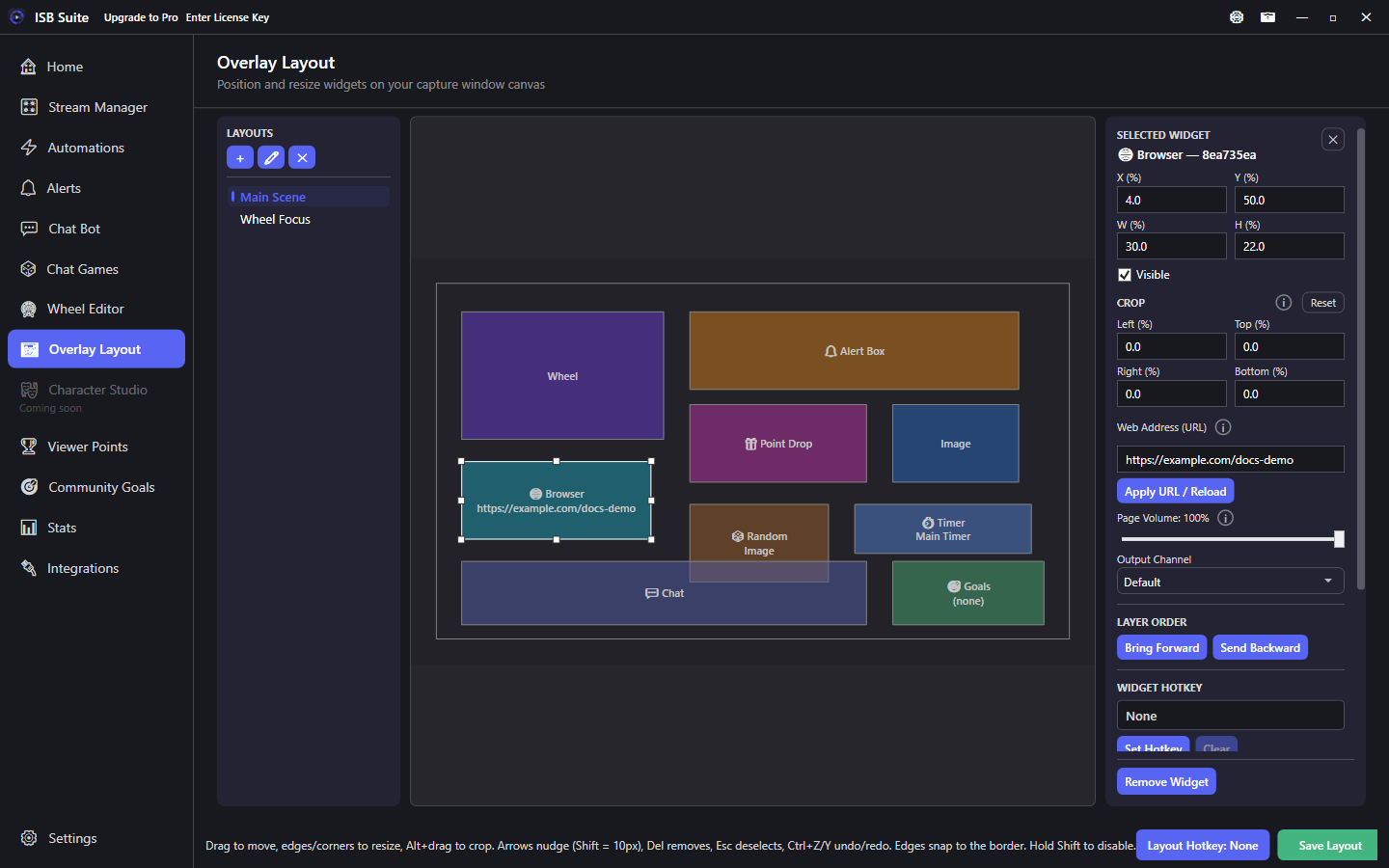
Embed a live web page URL inside the ISB Suite capture - similar to an OBS browser source, but inside the same Window Capture as your other widgets.
At a glance
- Widget: Browser Source.
- Renders inside ISB Suite - Capture (one Window Capture can include it).
- Good for goal bars, chat overlays, or status pages you already host.
- Keep private dashboards off stream.
How it works
Browser Source loads a URL into a Cef-powered region on the stage. Viewers see whatever that page paints inside the widget rectangle. Unlike adding a second OBS browser source, this stays inside the ISB Suite capture window with your wheel, alerts, and timers.
Setup
- Add a Browser Source widget.
- Enter the URL and size the region on the stage.
- Preview in capture; adjust crop if the page has chrome you do not want.
- Remove or hide the widget on layouts that do not need it (CPU).
Options
- URL: page to load (https preferred).
- Transform / crop / visibility / hotkey / layer order: shared stage controls.
- Volume / sound bus controls may appear when the page plays audio - mute pages that should stay silent on stream.
Tips
- Prefer pages that are safe to show on stream (no private dashboards, tokens, or admin UIs).
- Heavy pages can use CPU - keep the widget only on layouts that need it.
- If the page needs a transparent background, use a page designed for OBS-style overlays.
- Reload / URL typos are a common "blank widget" cause - verify the address loads in a normal browser first.
Use cases
- External goal bar - Hosted HTML goal that updates outside ISB Suite.
- Event schedule - Simple status page during marathons.
- Chat overlay page - Third-party chat CSS page sitting beside Alert Box.
Related: Community Goals (native goals), overview.