
Home / Features / Actions / Randomize Image Picker
Randomize Image Picker
Re-roll the active image for a Random Image Picker so every overlay widget bound to that picker updates together.
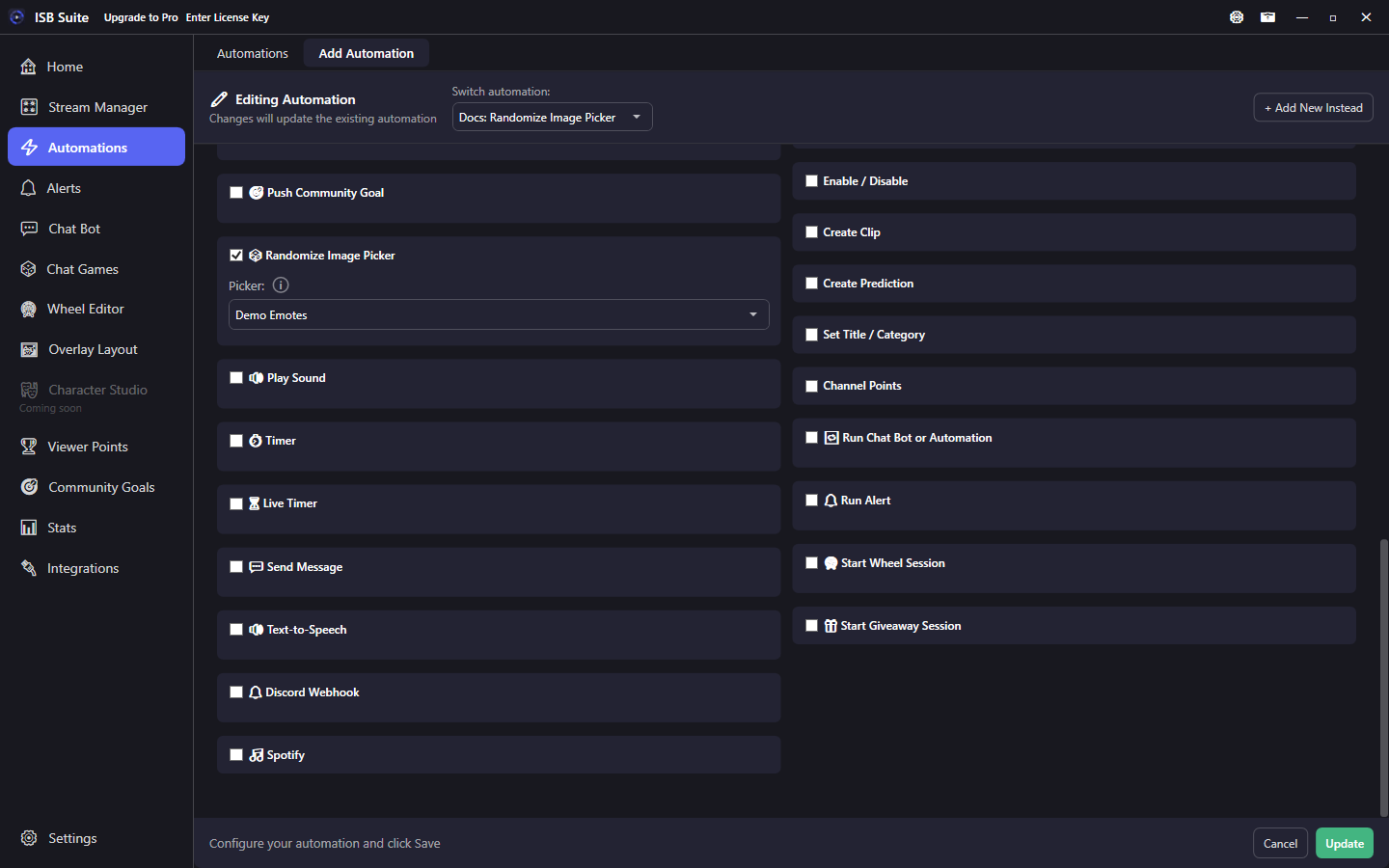
At a glance
- UI label: Randomize Image Picker.
- Create pickers and upload images in the Random Images tool.
- Overlay widgets must bind to the same picker.
- Related: Overlay Layout - Random Image Picker.
How it works
A Random Image Picker holds a pool of images. Overlay widgets bound to that picker show the current pick. This action re-rolls the picker so every bound widget swaps to the new image at once - useful for emote walls, mystery art, or donor showcase images without rebuilding layouts.
Setup
- In the Random Images tool, create a picker and upload images.
- On Overlay Layout, add Random Image Picker widgets and bind them to that picker.
- On the rule, enable Randomize Image Picker and select the picker.
If no picker is selected, the action does nothing. Empty image pools also have nothing to show until you upload files.
Examples
- Chat command
!emote-> Randomize Image Picker on Demo Emotes. - Channel points "New backdrop" -> randomize a scenic picker bound to a full-stage widget.