
Home / Features / Actions / Create Poll
Create Poll
Start a Twitch poll when a rule fires (bits, redeem, command, and so on). Requires Affiliate or Partner. Announce it on the same fire with {pollTitle} or {pollId}.
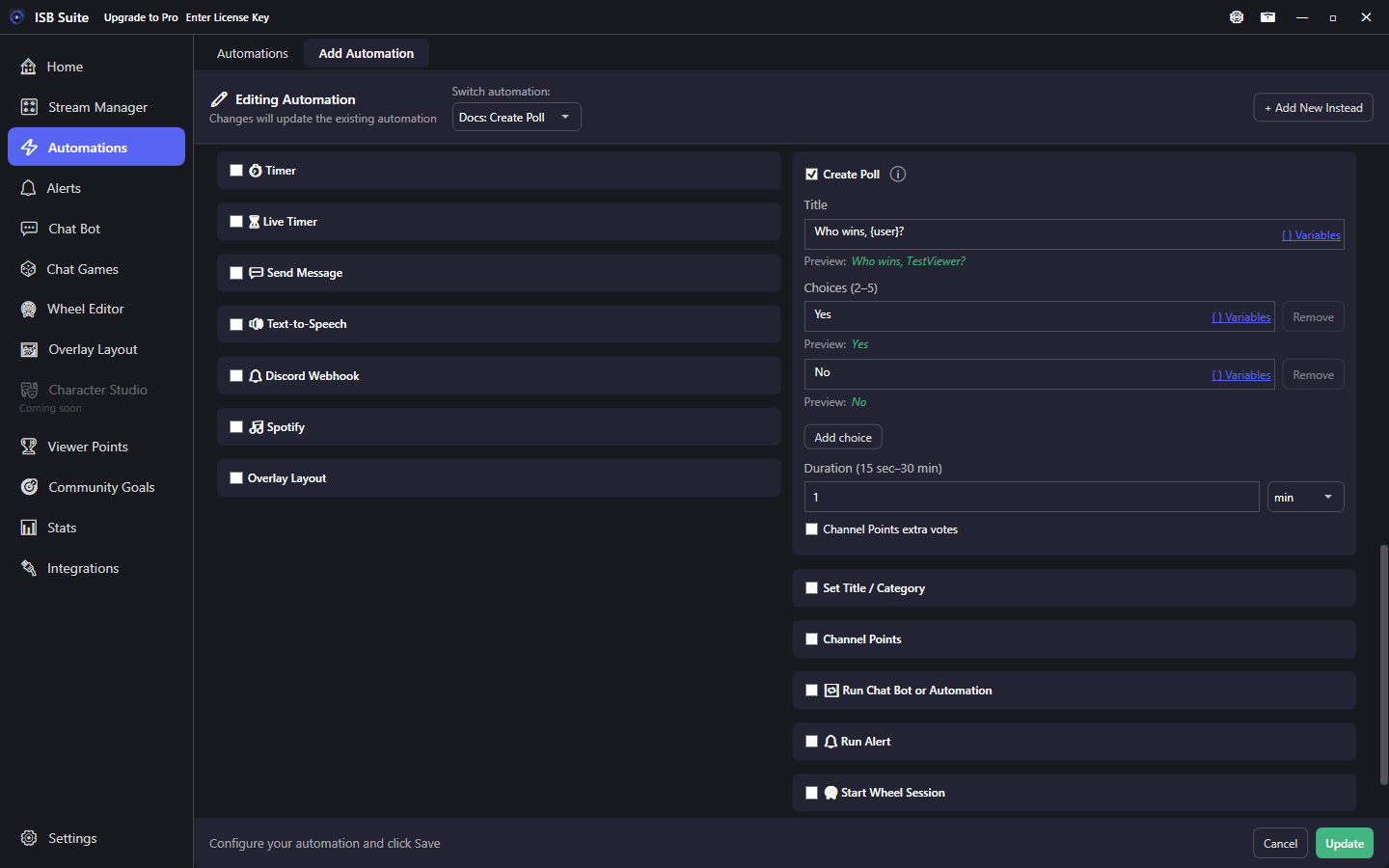
At a glance
- UI label: Create Poll.
- Helix Create Poll (
channel:manage:polls). Re-authenticate Twitch once if you connected before this feature. - Title max 60 characters after variables resolve. 2-5 choices (default Yes / No). Duration 15 seconds to 30 minutes (default 1 min). Enter sec or min.
- Channel Points extra votes are off unless you turn them on (1 to 1,000,000 points per extra vote). Bits voting is not offered.
- Runs before Send Message / TTS / Discord / alerts so
{pollTitle}/{pollId}resolve on the same fire.
How it works
When the rule fires, ISB Suite asks Twitch to create a poll. Only one poll can be ACTIVE on a channel. If one is already live, the draft joins the Stream Manager Polls queue and starts after the live one ends. The rest of the rule still runs. A missing permission or a non-Affiliate account still fails quietly. {pollTitle} / {pollId} stay literal unless create succeeded on that fire.
Setup
- Connect Twitch under Integrations (grant Polls permission when prompted).
- Enable Create Poll on the Actions card.
- Set the title, 2-5 choices, and the duration (seconds or minutes). Leave Channel Points extra votes off unless you want them.
- Add Send Message (or Discord / TTS) with
{pollTitle}if you want chat to announce the poll.
Tokens
{pollTitle} is the created question. {pollId} is Twitch's poll id. Both are unset unless Create Poll succeeded on that fire. See Message variables.
Examples
- Channel points "Call it" -> Create Poll + Send Message
{user} started: {pollTitle}. - Raid -> Create Poll (Yes / No, 1 min) + Discord webhook with the same title.