
Home / Features / Actions / Counter Action
Counter Action
Adjust one or more counters when the rule fires. Change by a signed amount, set an exact value, pull another counter, or roll a random range.
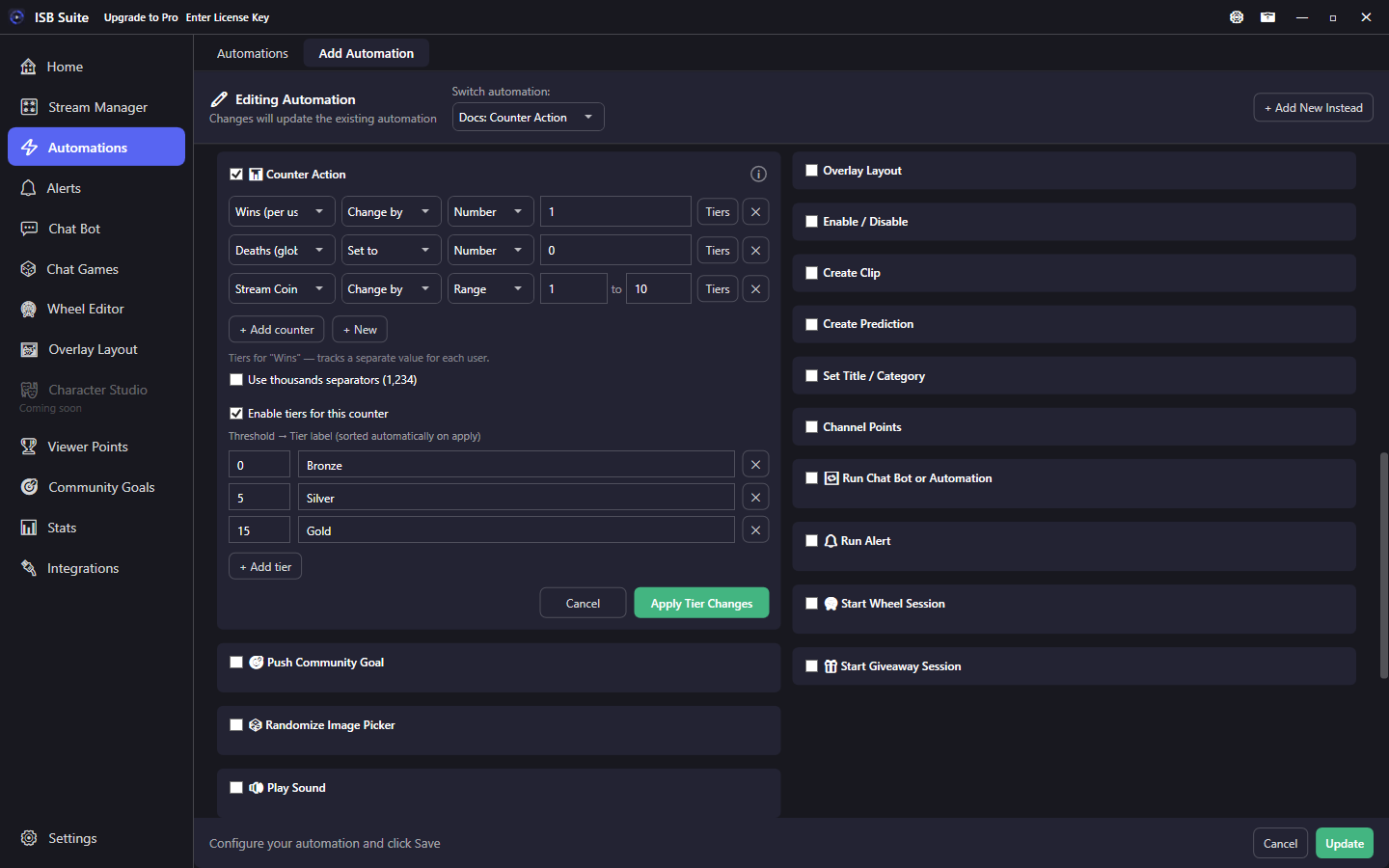
At a glance
- UI label: Counter Action.
- Operations: Change by or Set to; amount from a number, another counter, or a min-max range.
{amount}is the resolved amount from the first counter action on the rule.- With Timer, counter updates still happen immediately.
How it works
Each enabled row updates one counter when the rule fires. Values clamp at the counter floor (zero by default). You can stack several rows (tax a balance, then clear a pot). Full counter types and Stats UI: Counters and Stats.
If a Timer is also on the rule, counter (and community goal) updates still apply at fire time so templates like {count} stay correct while other actions wait for the countdown.
With multiple Counter Action rows, {count} / {counterTier} still refer to the first row. Use {counter:Name} / {counterTier:Name} for any other row - those tokens use this fire's post-update values for every counter the action updated (see Message variables).
Setup
- Create the counter on Counters and Stats if needed (global or per-user).
- Enable Counter Action and + Add counter for each row.
- Pick target, operation, and amount source. Save and verify on Stats.
Operations and amounts
Stack rows when one fire should change more than one counter (for example bump Wins, reset Deaths, and roll Stream Coins):
- Change by: signed delta (positive adds, negative subtracts).
- Set to: absolute value (including 0 to reset).
- Fixed number, another counter (add or subtract that counter's live value), or a random range rolled once each fire.
{amount}in chat/TTS is the resolved amount from the first counter action on that fire.
Tiers
Optional tier ladders (Bronze / Silver / Gold style) can be edited from this panel or on the counter definition. Crossing a tier can fire Counter Tier Reached triggers on Automations / Custom Alerts. Tokens: {counterTier}, {counterTier:Name} - see Counters and Stats.
Use cases
- Duel win board - Chat game win phase -> Change by +1 on per-user Wins, then Send Message with
{user}and{count}. - Death reset redeem - Channel points -> Set to 0 on Deaths plus a short chat confirm.
- Random tip jar - Bits or shop -> Change by a random range on Stream Coins so each redeem feels different.
- Tax the pot - Command -> Change by -[pot counter] on a viewer balance, then Set pot to 0 (two rows on one rule).