
Home / Features / Actions / Send Keybind
Send Keybind
Tap a key combination on this PC when a rule fires. Use it for a scene hotkey in another app, mute, or a macro pad key. ISB Suite sends the chord. It does not hold the key down.
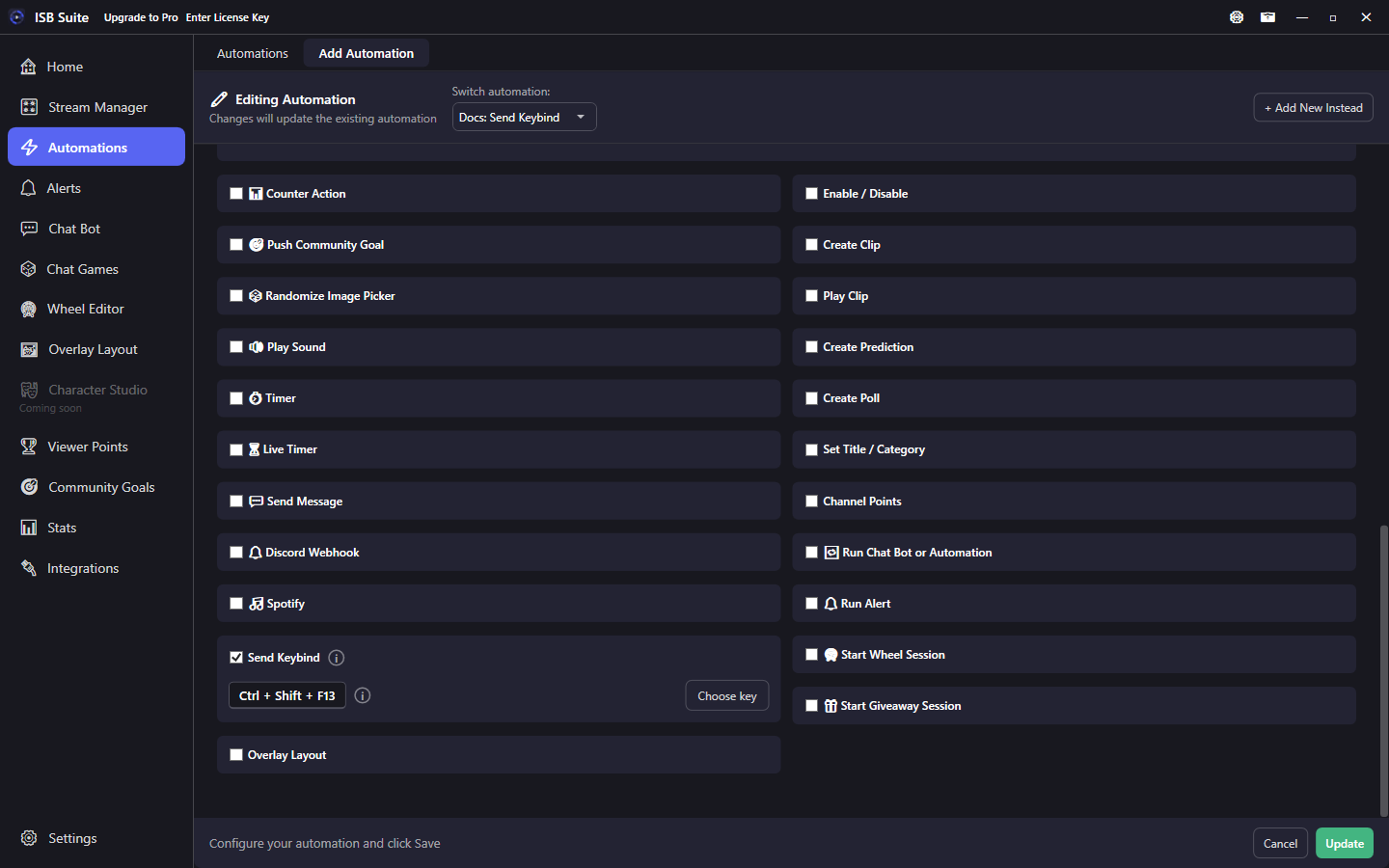
At a glance
- UI label: Send Keybind.
- One chord: modifier keys plus one key, or a bare key. F13-F24 are in the list because many keyboards never send them.
- This taps the chord (keys down, then up). It does not hold a key for push-to-talk.
- Modifiers are the left Ctrl, Alt, Shift, and Windows keys.
- A chat command, channel redeem, or wheel can fire it. The key never comes from chat text.
How it works
When the rule fires, ISB Suite taps the chord on this PC. Windows delivers it to the app that registered that hotkey, or to the focused window when nobody did. There is no window picker.
A delay Timer waits, then the chord fires with the other delayed actions, after Streamlabs on the same rule. Other rules keep running. Two chords never press at the same time: the second waits until the first tap finishes.
Risky chords such as Win+L, Alt+F4, Alt+Tab, and a bare Windows key still save and still send. The card shows a warning. Ctrl+Alt+Del is the exception: Windows will not inject it, so that fire is skipped and logged.
Setup
- Enable Send Keybind.
- Click Choose key and press the chord, or pick F13-F24 from the list. Escape is a key here. Cancel is the button.
- Save. An enabled card with no key does not save.
Pitfalls
- Some games ignore simulated keys. A program running as administrator will not receive keys from ISB Suite when ISB Suite is not elevated. Do not run ISB Suite as administrator to get around that.
- A combo ISB Suite already listens for (skip alert, layout, widget) comes back to ISB Suite. The other app never sees it. ISB Suite does not unregister those hotkeys.
- If ISB Suite is the focused window, the chord goes into ISB Suite.
- A crash or force-quit can leave a key held down. Press that key once to release it.
- Caps Lock, Num Lock, and Scroll Lock flip the lock. The card says so.
- Chat spam with no cooldown can queue many taps. Set a cooldown on the command. Presses are not dropped.
Examples
- Channel point redeem -> Send Keybind Ctrl+Shift+F13, the hotkey your scene app already uses.
- Chat command
!brb-> the same chord your mute key uses, with a moderator permission and a cooldown. - A Stream Deck style bare key (no modifier) -> Choose key and press that single key.